Video Production Checklist
Use it before you hire a video producer, and again at delivery. Mark what each producer delivers, see a score, and send them the questions it raises.
- Free, no sign-up
- Runs in your browser
- Remembers your entries on this device
- Updated November 19, 2026
Welcome back. Your last entries are restored, so you can pick up where you left off.
- 18deliverables ranked by impact
- 4producers compared side by side
- 3 minlongest YouTube Short, in a square or vertical format
- 1.2.2WCAG rule requiring captions on recorded video, Level A
Score Your Video Producer
18 deliverables, ranked from non-negotiable to nice-to-have. Add each vendor you are comparing, or your current one, and mark what they deliver. Your answers stay on this device.
Non-Negotiable
Walk away from any producer who will not commit to these in writing.
-
A written brief and script, approved before filming
The brief sets the audience, the message and the length. The script turns it into words you approve. Changes on paper cost minutes; changes after filming cost a reshoot.
Ask: Will you send a written brief and a full script for my approval before any filming starts?
-
A clear goal and call to action for each video
Every video does one job: explain a service, build trust, or answer a question. It ends with one next step, such as Call Now or Book a Visit.
Ask: What is the goal of each video, and what call to action does it end with?
-
Clean audio from a proper microphone
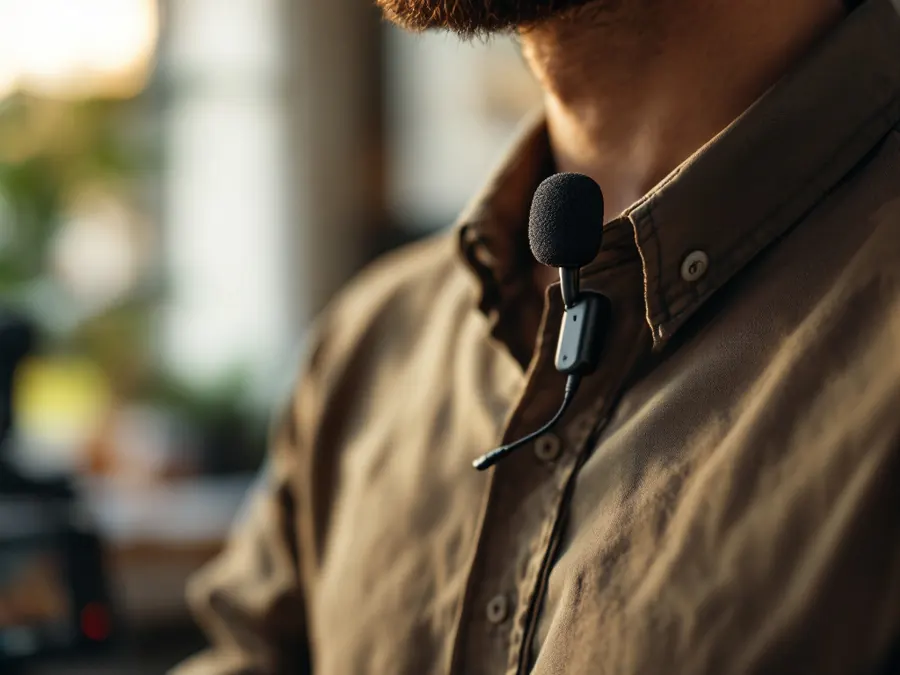
Viewers forgive soft images faster than muddy sound. A lavalier mic clipped to the speaker, or a shotgun mic just out of frame, keeps voices clear and room noise down.
Ask: Which microphones do you use for speakers, and how do you deal with background noise?
-
Captions on every video
WCAG success criterion 1.2.2, Level A, calls for captions on prerecorded video with audio, so people who are deaf or hard of hearing get the message. Captions also reach people watching with the sound off.
Ask: Are accurate captions included on every video, and do I get the caption file too?
-
Final files in full resolution, owned by you
You receive the finished videos in full resolution, not only a link. The US Copyright Office explains that commissioned work is a work made for hire only with a written agreement signed by both sides, so get ownership or usage rights in writing.
Ask: Will I receive the final files in full resolution, with ownership or usage rights set out in a signed agreement?
-
Music licensed for commercial use
Background music needs a license that covers business use on your site, YouTube and social media. Unlicensed tracks bring copyright claims that mute or block the video.
Ask: Is every music track licensed for commercial use on my site, YouTube and social media, and can I see the license?
-
Revision rounds and a timeline in writing
Know how many rounds of edits the price includes, when each cut arrives, and what an extra round costs. Clear terms keep the project moving.
Ask: How many revision rounds are included, and what are the dates for the first cut and the final delivery?
Important
These separate videos that bring in leads from videos that sit unwatched.
-
Lighting that shows faces clearly
Even light on the speaker's face, without harsh shadows or a bright window behind them, makes the video look trustworthy on any screen.
Ask: How do you light the speaker, whether we film in my space or record remotely?
-
Versions for each platform
Your website and regular YouTube videos use the wide 16:9 format. YouTube treats square or vertical videos up to three minutes as Shorts, so a vertical 9:16 cut reaches phones on Shorts and Reels.
Ask: Will you deliver a wide 16:9 version and a vertical 9:16 version of each video?
-
YouTube upload set up for search
A searchable title, a description with your call to action, chapters and a custom thumbnail help the video get found and clicked. YouTube chapters need at least three timestamps, starting at 00:00, each at least 10 seconds long.
Ask: Do you write the title, description and chapters and create a thumbnail for each YouTube upload?
-
Video placed on the right website pages
A service video works hardest on the page for that service, next to the call to action, where people already looking for that service watch it.
Ask: Which pages on my website will each video go on, and who places it there?
-
Samples from businesses like yours
Finished videos for small businesses show the producer's audio, pacing and calls to action. Watch them as a customer would, with the sound on and off.
Ask: Can you show me three videos you made for small businesses, with their goals?
-
Signed releases for people on camera
Staff and customers who appear on camera sign a release that lets you use the video. It protects you if someone leaves the business or changes their mind.
Ask: Do you collect a signed release from everyone who appears on camera, and do I get copies?
Nice To Have
Extras that add value once the core videos work.
-
Raw footage handed over
The unedited footage lets you or a future editor cut new versions years later without filming again.
Ask: Will you hand over the raw footage, and in what format?
-
A B-roll library
Short clips of your team, your space and your work in progress give every future video, post and web page fresh footage to draw on.
Ask: Will you capture and deliver a library of B-roll clips I can reuse?
-
Testimonial videos
Real customers describing their result in their own words build trust faster than any script. Testimonial videos stay unscripted, with a signed release.
Ask: Do you produce testimonial videos with real customers, and how do you prepare them?
-
Custom thumbnails
YouTube recommends a 16:9 thumbnail for regular videos and 9:16 for Shorts. A clear face and a few large words help the video stand out in results.
Ask: Will you design a custom thumbnail for each YouTube video?
-
Short cut-downs for social media
A longer video often holds moments that work on their own. A handful of short clips gives you posts for weeks from one project.
Ask: Will you cut short clips from each longer video, and how many?
Questions To Send Your Vendor
Every item marked No, Partly or Not sure becomes a question, non-negotiables first. Copy it into an email before your next meeting.
Compare Vendors
A missing non-negotiable outweighs a high score. Ask about it before you sign.
How To Use This Checklist
The checklist works in two moments: choosing a producer, and checking what they deliver.
- Add each video producer you are talking to as its own vendor and score them after each call
- Mark Not sure for anything they skipped, so it becomes a question
- Copy the questions into an email and ask for answers in writing
- At delivery, score again with the files, captions and licenses in front of you
Red Flags In A Video Proposal
The checklist scores what a producer delivers. These warning signs tell you to look harder before you sign.
Filming Without A Script
A producer who wants to "figure it out on the day" leaves your message to chance and your budget open to reshoots.
Files Behind A Link
If the only copy of your video lives in the producer's account, you lose it when the account or the relationship ends.
Music With No License
A popular song in the background brings copyright claims that mute or block the video.
No Captions Or Vertical Cut
A single wide video with no captions misses viewers who watch on phones with the sound off.

Why Ownership And Files Matter
A video is an asset you use for years: on your website, YouTube, social media and in emails. That only works if you hold the final files and the right to use them.
Ask for the finished videos in full resolution, the caption files, the music licenses and a signed agreement on ownership or usage rights. A good producer hands these over without being asked twice.
What A Good Delivery Includes
Check the final handover against this list. Each one maps to an item above.
- Final videosFull-resolution files in a wide 16:9 version and a vertical 9:16 version.
- CaptionsAccurate captions burned in or supplied as a separate caption file for each video.
- Licenses and releasesMusic licenses for commercial use, and signed releases for everyone on camera.
- YouTube detailsTitle, description with the call to action, chapters and a thumbnail for each upload.
- AgreementA signed document that sets out who owns the videos and where you can use them.
Video That Gets Found
A well-made video still needs viewers. The producers who bring in leads plan for search from the script: the words people type, a title that matches them, chapters that answer each question, and a home on the right page of your website.
Sherman Hu has worked in SEO full time since 2002, and his video production ties each video to search, with YouTube SEO for titles, descriptions, chapters and thumbnails. Whoever you hire, ask how each video will be found.
Make It A Habit
Score your producer each quarter, with the latest videos and files in front of you. Missing captions, files you never received or a video with no call to action are easier to fix while the project is fresh.
Bookmark this page with Ctrl + D (⌘ + D on a Mac), or save it to My Tools. Your entries wait for you on this device.
Questions People Ask
What do I ask a video producer before hiring them?
Who owns the video when I hire a producer?
Do business videos need captions?
What size does a video need to be for YouTube Shorts and Reels?
What does a YouTube upload need besides the video?
More Free Tools
 Hiring Checklist
SEO Company Checklist
What an SEO provider delivers, from non-negotiable to nice-to-have. Score and compare vendors.
 Hiring Checklist
Local SEO And Google Maps Checklist
The deliverables that move a business up in Google Maps, and what to demand from whoever manages them.
 Hiring Checklist
AI Search Optimization Checklist
What real AI search work looks like, so you can tell it apart from a rebranded SEO package.
Related Services And Guides
How This Tool Works
Each deliverable carries a weight: 3 for non-negotiable, 2 for important, 1 for nice to have. Yes earns the full weight, Partly earns half, and No or Not sure earn nothing. The score is the share of the total weight earned, out of 100.
Any non-negotiable marked No triggers a warning, whatever the score. A producer at 85 who keeps the final files, or uses unlicensed music, is still a risk.
The checklist draws on the W3C's WCAG guidance on captions, YouTube Help on Shorts, chapters and thumbnails, the US Copyright Office's guidance on works made for hire, and what Sherman Hu has seen in full-time SEO work since 2002.
Sources
- W3C: Understanding Success Criterion 1.2.2, Captions (Prerecorded)
- YouTube Help: Upload YouTube Shorts
- YouTube Help: Video chapters
- YouTube Help: Add video thumbnails
- US Copyright Office: Circular 30, Works Made for Hire
Everything you type stays in your browser. Nothing is sent to Sherman Hu SEO or anyone else. Saved entries live only on this device until you clear them.
General information, checked against the sources above on November 19, 2026. Google and other platforms change their rules; their current help pages win.
Want Sherman Hu to do this for your business?
Schedule My Free SEO Call